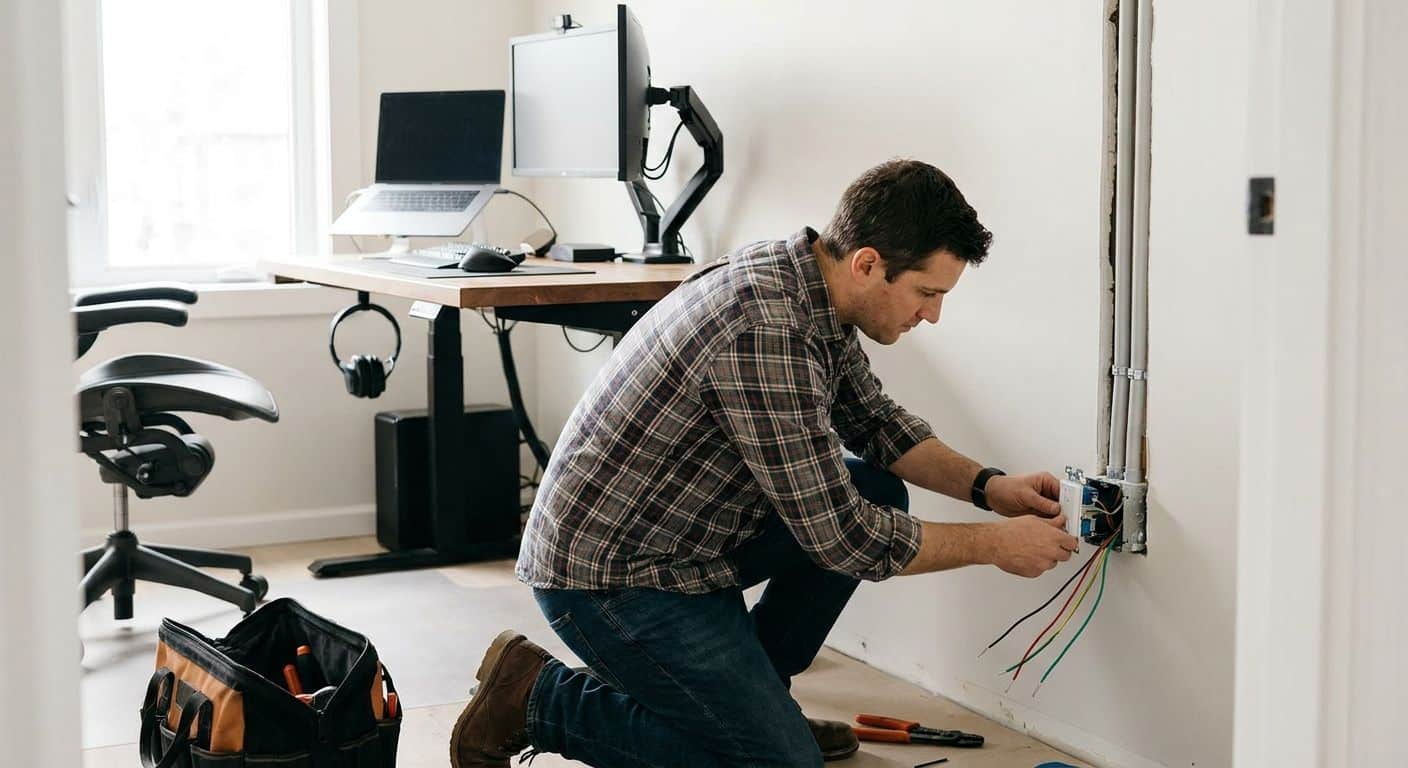
Electrical Wiring for Home Office Setups: 2026 Guide
August 31st, 2026
Remote workers need electrical wiring for a home office that handles monitors, docking stations, space heaters, and video calls without a breaker tripping mid-meeting. A converted bedroom or basement nook built decades ago for a lamp and a radio wasn't designed for the load a 2026 remote desk pulls, and that gap is where most home office electrical problems start.
- Electrical wiring for home office setups works best on one dedicated 20-amp circuit, not a shared bedroom outlet.
- Homes under 100 amps often trip breakers once monitors, a heater, and a printer run at once.
- Whole-house surge protection covers networking gear better than a single power strip.
- Circuit mapping and labeling prevent guesswork before you add outlets or move a desk.
- Expert Services adds dedicated circuits and panel upgrades for remote work setups across Northern Utah.
Why electrical wiring for home office setups matters for remote workers
Remote work changed what a spare room needs electrically. A single 15-amp circuit built for a lamp and a phone charger now has to run two monitors, a laptop dock, a mesh Wi-Fi router, a space heater in winter, and sometimes a small fridge or printer — all at once, for eight hours a day.
When that circuit is shared with a bedroom or hallway lighting, the math doesn't work. Breakers trip during calls, monitors flicker when the HVAC kicks on, and USB-C docks lose power intermittently on older, ungrounded outlets. Getting the electrical panel upgrade question answered early — before you buy a second monitor arm or a standing desk — saves a redo later.
Update your circuit load first
Before adding outlets, find out what the room's existing circuit can actually carry.
- Check the panel amperage rating (60-100 amp is common in Utah homes built before the 1980s; 200 amp is standard for new construction).
- Count active devices on the office circuit: monitors, dock, heater, router, lamp.
- Add up rated wattage on each device's label and compare to the circuit's amp rating times 120 volts.
- Note any breaker that already trips more than once a month under normal use.
- Flag rooms on the same circuit as a bathroom or kitchen appliance — a common wiring shortcut in older additions.
Map and label your panel before touching anything
You can't plan a dedicated circuit without knowing what's already on the one you have. Mapping and labeling your electrical panel is a free afternoon project that tells you exactly which breaker feeds the office and what else rides on it.
- Flip one breaker at a time and test which outlets and lights go dark.
- Write the room and outlet count directly on the panel door, not a sticky note that falls off.
- Photograph the labeled panel and keep the image on your phone.
- Note any breaker with no label or a vague one like "misc" — that's usually the one causing trips.
Add a dedicated circuit for your workstation
Once you know the load, a dedicated 20-amp circuit for the office desk solves most day-to-day tripping problems. This is the point where DIY hits its ceiling — running new wire from the panel and installing a new breaker is licensed-electrician work in Utah, not a weekend project.
- A dedicated circuit isolates office equipment from bedroom lighting and other room loads.
- 20-amp circuits handle a monitor setup, dock, heater, and printer with headroom.
- New circuits need a matched breaker size and properly gauged wire — mismatches are a fire risk, not just an inconvenience.
- If the panel is already full, this is usually the moment a panel upgrade gets discussed instead of squeezing in one more breaker.
Install surge protection at two levels
A $15 power strip protects nothing against a real surge event — it's a convenience outlet with an indicator light. Real protection happens at the panel.
- Point-of-use surge protectors on desks catch small spikes from appliance cycling.
- Whole-house surge protection at the panel catches larger events from grid switching or lightning before they reach any outlet in the house.
- Networking gear (routers, switches, NAS drives) is more sensitive to surges than a laptop, which usually has its own internal protection.
- Replace any surge strip more than 3-4 years old — the protective components degrade with each absorbed spike even if the strip still powers on.
Upgrade outlets to grounded, tamper-resistant hardware
Ungrounded two-prong outlets are still common in Utah homes built before the mid-1960s, and they're a real problem for office equipment with three-prong plugs.
- Confirm outlets are grounded, not just adapted with a cheater plug.
- Replace any outlet with visible scorch marks, looseness, or a plug that falls out on its own.
- Tamper-resistant outlets matter if kids or pets share the workspace.
- GFCI protection is code-required near any water source, including a home office with a small kitchenette or wet bar nearby.
Watch for warning signs on older systems
Breaker trips aren't random. A breaker that trips repeatedly under office load — even after you've reduced what's plugged in — usually points to a wiring problem, not a device problem. Circuit breaker repair is worth scheduling before you assume the fix is buying fewer gadgets.
- Repeated trips on a lightly loaded circuit signal a wiring fault, not overload.
- Warm outlet covers or a burning smell near the desk mean stop using that outlet immediately.
- Flickering that syncs with the HVAC or another appliance cycling on points to a shared neutral or loose connection.
- Buzzing from a switch or outlet is never normal, regardless of age.
Plan cable and power routing for a permanent setup
A remote desk that's staying put for years deserves routing that doesn't rely on extension cords running across a doorway.
- In-wall cable raceways keep power and Ethernet lines off the floor.
- Floor-mounted outlet boxes work for center-of-room desks in finished basements.
- USB-integrated outlets reduce the number of bulky adapters plugged into a single duplex.
- Keep power cables at least a few inches from Ethernet runs to reduce interference on video calls.
Comparison: home office power protection options
| Option | Best For | Key Limitation |
|---|---|---|
| Power strip surge protector | Budget desk setups, single device | Weak protection, degrades after repeated spikes |
| Dedicated 20-amp circuit | Remote workers with multiple monitors and a dock | Requires licensed wiring work, not DIY |
| Whole-house surge protection | Homes with networking gear and smart devices throughout | Doesn't replace point-of-use protection at the desk |
| Battery backup (UPS) | Video calls, avoiding mid-meeting shutdowns | Runtime is limited, not a long-outage solution |
| Panel upgrade | Homes under 100 amps adding an office plus other new loads | Bigger project, addresses the whole house, not just one room |
The direct answer for most 2026 remote work setups: a dedicated 20-amp circuit plus whole-house surge protection covers the two failure points — tripping and spikes — that a power strip alone can't touch.
Common mistakes remote workers make
- Daisy-chaining power strips. Plugging one surge strip into another to add outlets overloads the original outlet's rated capacity, not just the strip.
- Ignoring outlet age because the room "looks fine." A working outlet and a safe outlet aren't the same thing in a home with original 1960s-70s wiring.
- Assuming a tripped breaker means "unplug something." Sometimes it does. Repeated trips on a lightly loaded circuit mean the wiring itself needs a look.
- Skipping surge protection for "just a laptop." Docking stations, external drives, and monitors are all exposed on the same circuit even if the laptop has internal protection.
- Treating a converted garage or basement office like any other room. These spaces often run on older sub-panels or shared circuits that were never rated for full-time desk use.
Get your home office wiring checked
A licensed electrician can add a dedicated circuit or upgrade your panel for remote work.
FAQ
What’s the best electrical wiring for a home office in 2026?
A dedicated 20-amp circuit separate from bedroom or hallway lighting is the best setup for a home office in 2026. It keeps monitors, docking stations, and heaters from tripping a shared breaker.
How many outlets does a home office need?
Most remote desks need 4-6 outlets between the desk area and nearby equipment like a printer or router. Spreading these across one dedicated circuit prevents overload compared to running everything off two outlets.
Is a power strip enough surge protection for a home office?
A basic power strip protects lightly against small spikes but degrades over time and won’t stop larger surge events. Whole-house surge protection at the panel covers the entire home, including networking gear, more reliably.
Why does my breaker trip when I use my home office equipment?
Repeated tripping usually means the circuit is overloaded or there’s a wiring fault, not that a single device is broken. If reducing plugged-in equipment doesn’t stop the trips, the wiring itself needs inspection.
Do I need an electrician to add an outlet for my home office?
Adding a new outlet or dedicated circuit requires a licensed electrician in Utah because it involves running new wire and installing a matched breaker at the panel. Mismatched wire gauge and breaker size is a fire risk.
Can an older home’s electrical panel handle a home office setup?
Panels under 100 amps in homes built before the 1980s often struggle once a full office load is added alongside existing appliances. A panel upgrade is common when a home office is combined with other new electrical demand.
What causes flickering monitors in a home office?
Flickering that lines up with the HVAC or another appliance turning on points to a shared circuit or loose wiring connection, not the monitor itself. This is more common in homes with original wiring from before the 1980s.
Is GFCI protection required in a home office?
GFCI protection is code-required if the office is near a water source such as a bathroom or wet bar, but not for a standalone desk area. Standard grounded, tamper-resistant outlets are sufficient for most dedicated office spaces.
One last thing
The single most overlooked step in home office wiring isn't the circuit — it's the panel label. A properly labeled panel with the office circuit clearly marked means the next electrician, or you at 11pm during an outage, isn't guessing which breaker to flip. It costs nothing and prevents most of the panic-trip-reset cycle remote workers deal with during a bad video call.
Related guides
- Whole-house surge protection for smart home devices
- Electrical wiring for home additions and room additions